Quick visual flow
A lightweight visual map of the path described in this guide.
Help Center
Esercizi e tracking
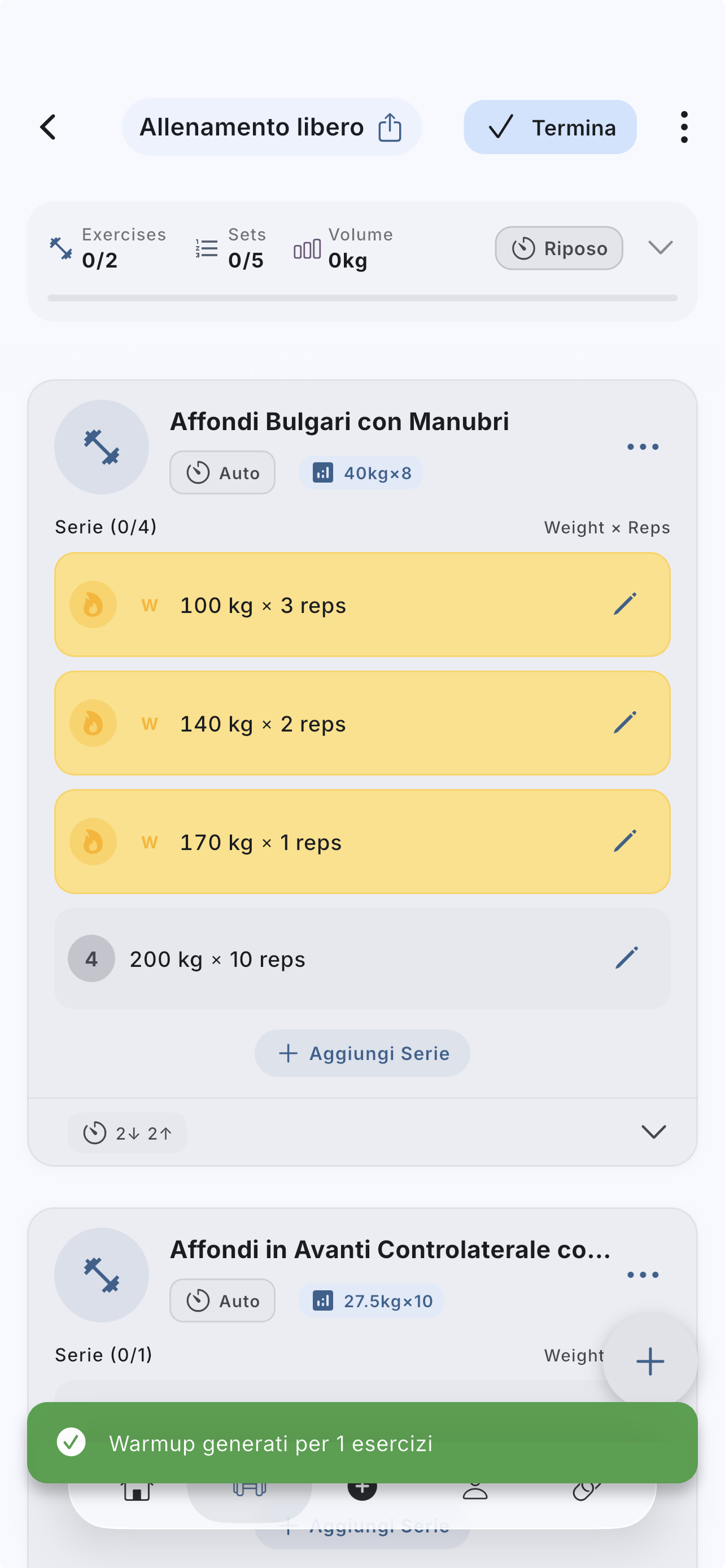
Warm-up sets help prepare the main work, but they should still be reviewed and adjusted to the actual load of the day.
Help Center
Fast answers for training, setup, recovery, and common issues.
Wiki index
Top-level categories and guides arranged like a lightweight tree so the help center is easier to scan.
On this page
5 sections
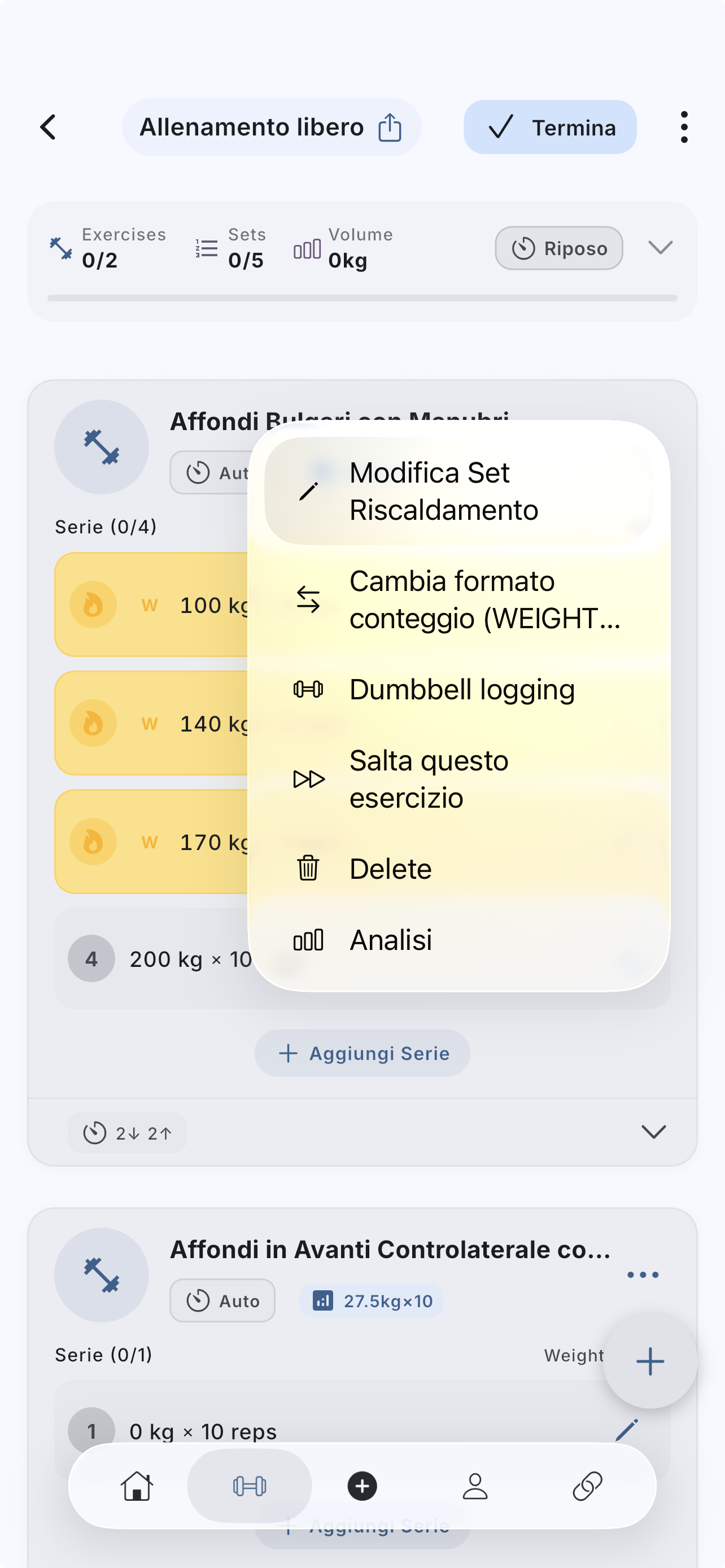
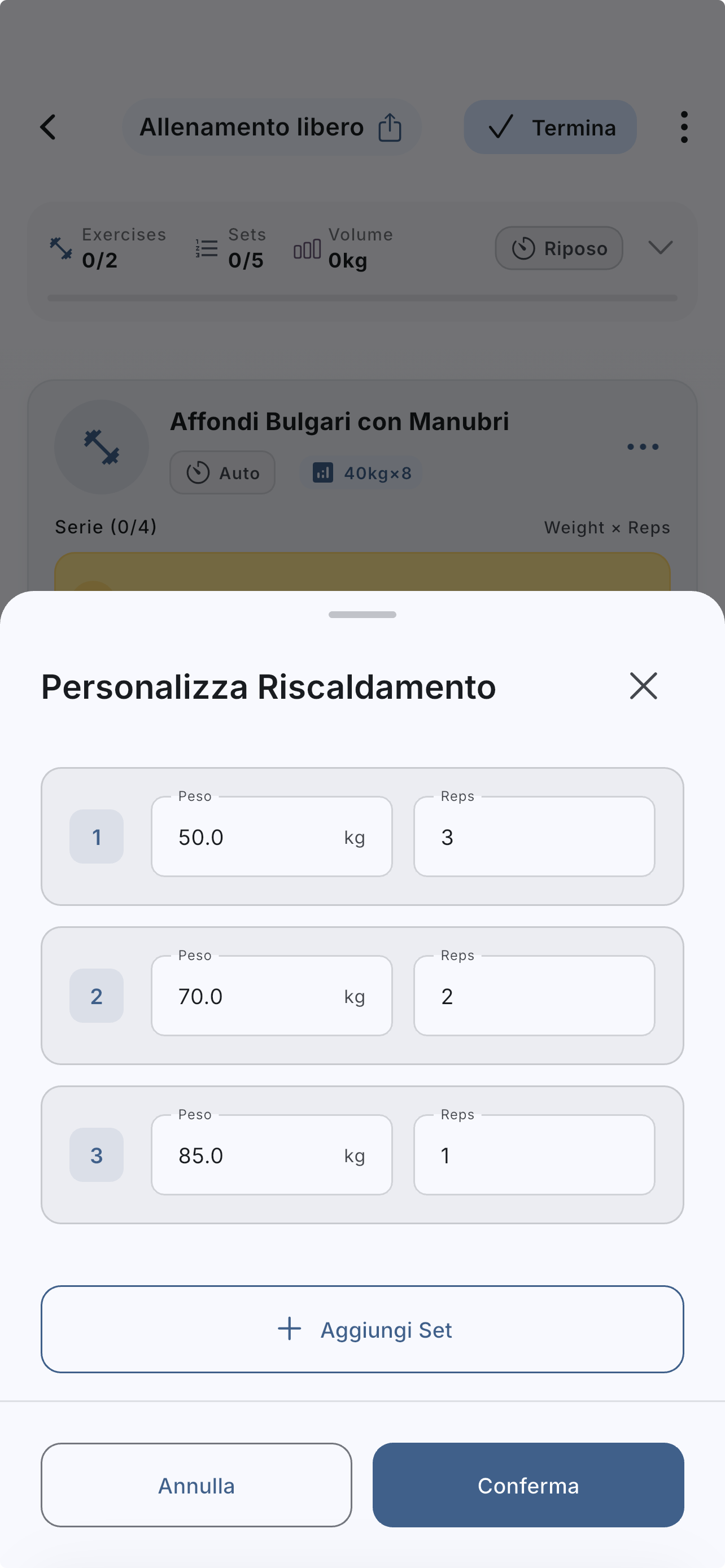
A lightweight visual map of the path described in this guide.
Open the exercise inside the active workout.
Use the action to generate warm-up sets.
Review the proposal before confirming it.
Change weight, reps, or number of sets if the suggestion does not match your real warm-up.
If the answer is not here, contact support with device, platform, a clear problem description, and ideally a screenshot.
Your feedback helps us improve guides for all users.
Useful follow-up reads that complete the same flow without sending you into internal documentation.
A useful training log starts with a few well-chosen fields. Use TUT and the metronome when you also want to control rep timing.
Appearance, automatic timer behavior, and advanced tracking change the pace of a session. Set them once and keep logging consistent.
The real in-app flow: start from the simplified Home, use `Free Workout` or a template, add exercises, and finish without polluting history or analytics.