Quick visual flow
A lightweight visual map of the path described in this guide.
Help Center
Progressi e insight
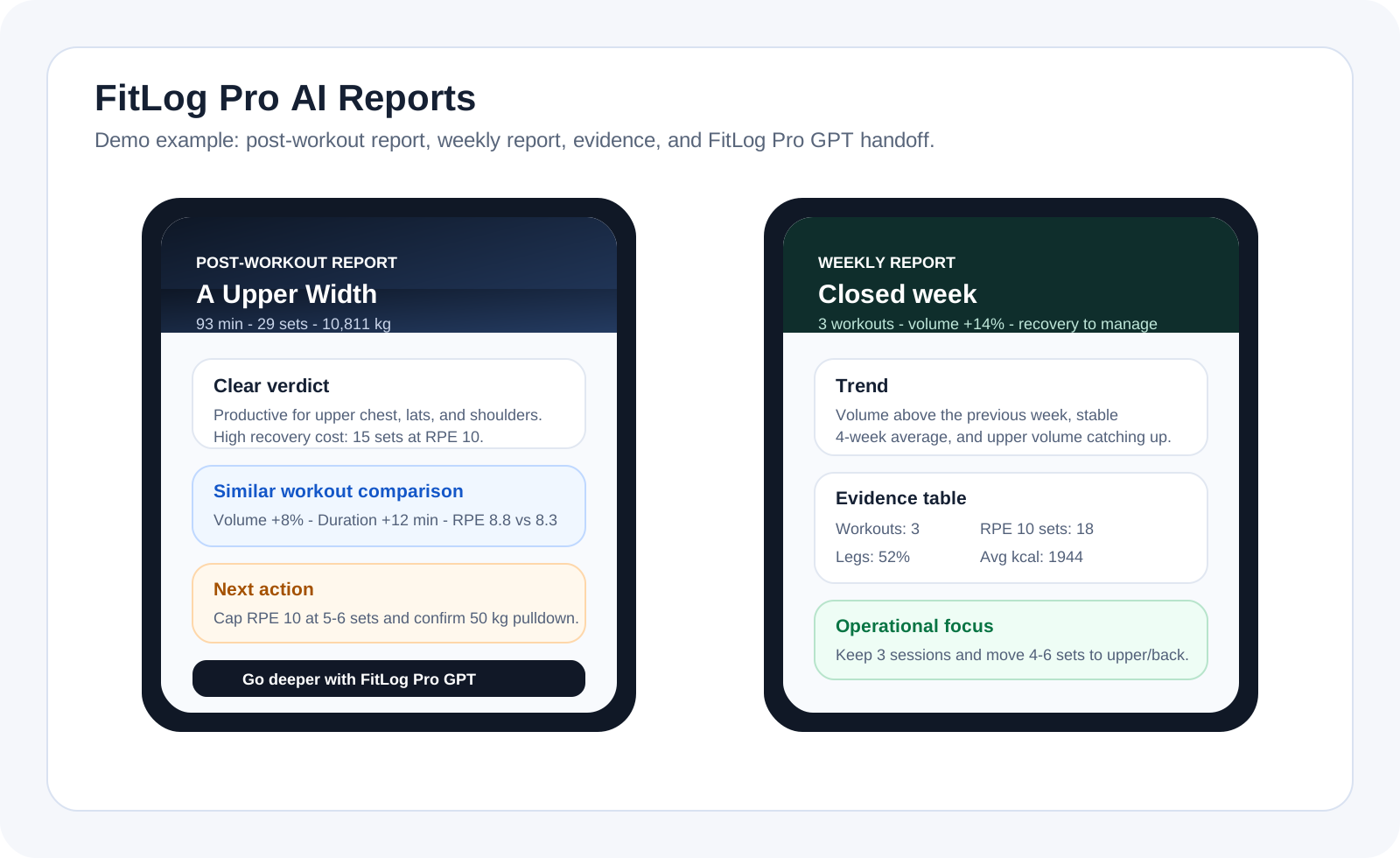
After a completed workout, FitLog Pro shows a visual summary with recorded effort, available metrics, a neutral comparison, estimated muscles, and the next session; on Monday it can also prepare the weekly report and a shareable Weekly Verdict card.
Help Center
Fast answers for training, setup, recovery, and common issues.
Wiki index
Top-level categories and guides arranged like a lightweight tree so the help center is easier to scan.
On this page
17 sections
A lightweight visual map of the path described in this guide.
Finish the workout from the active session screen.
On the completion summary, FitLog Pro shows report status and, if you opted in, starts preparing it in the background.
The notification is sent only when the report is ready and not before roughly 5 minutes after completion.
Tapping the notification opens the report for that exact workout.
Complete a FitLog workout, or end a week with at least one logged FitLog workout.
FitLog Pro prepares a snapshot with authorized data: workout, analytics, comparison, recovery, nutrition, and body measures when present.
When you open the nutrition card or generate a report from the app, FitLog Pro saves a compact snapshot of calories, macros, hydration, targets, and daily external load so automatic reports can reuse it instead of depending only on the screen open at that moment.
The backend generates the report without storing the raw prompt: it keeps the report, synthetic evidence, missing data, estimated cost, and model used.
The numbers below are realistic examples to show the output style: they are not medical advice and do not replace your real data.
If the answer is not here, contact support with device, platform, a clear problem description, and ideally a screenshot.
Your feedback helps us improve guides for all users.
Useful follow-up reads that complete the same flow without sending you into internal documentation.
Analytics brings Progress, Balance, and Load into one page; History remains the place to review individual sessions.
Profile does not replace Stats. It is the personal control room of the app, with quick access to consistency, measures, history, and settings.
Health sync mainly connects workouts and body measurements with data that already exists on your phone. It does not replace workout logging.
If you want to keep your data safe, you need to know where account, sync, and subscription management actually live: mostly in Settings, not inside workouts.
Free users receive a teaser within quota; Premium users receive the full report.