Quick visual flow
A lightweight visual map of the path described in this guide.
Help Center
Import e FitLogPro GPT
Create or transform routines into reusable templates with profile context, equipment, progression, and review before confirmation.
Help Center
Fast answers for training, setup, recovery, and common issues.
Wiki index
Top-level categories and guides arranged like a lightweight tree so the help center is easier to scan.
On this page
8 sections
A lightweight visual map of the path described in this guide.
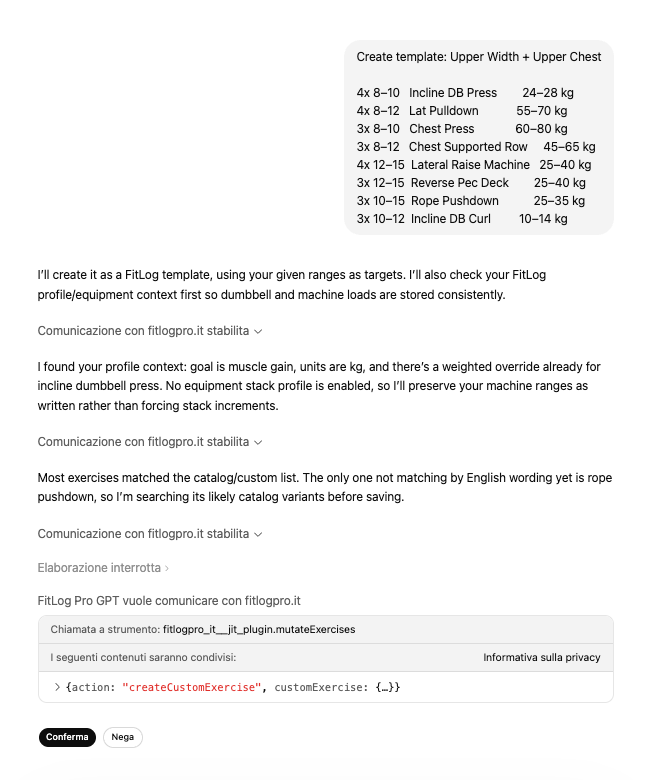
If you are trying to bring in a routine, a written program, or a plan described in plain language, FitLogPro GPT is the more natural path.
CSV import is excellent for completed workout history, but it is not the right path for reusable templates.
Open the official GPT from the `Connect GPT` area, or from the `Open GPT` button in the web `Import Template` modal.
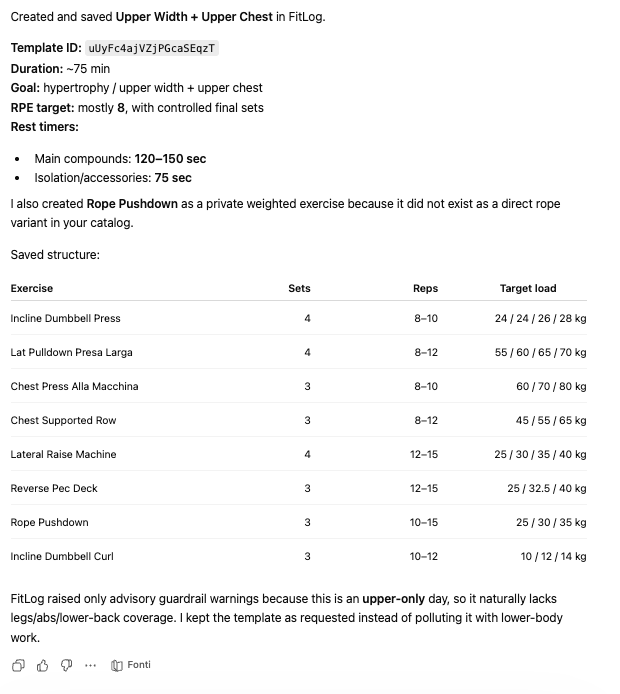
Ask it to create a template from scratch or transform an existing routine into a template.
Let it read profile, equipment, existing templates, and history when those data matter.
Answer only missing blockers such as real training days, session length, pain, recovery, or priority muscles.
Review the result and confirm the action once the structure looks correct.
Reopen FitLog Pro and confirm the template appears in the correct area.
If the answer is not here, contact support with device, platform, a clear problem description, and ideally a screenshot.
Your feedback helps us improve guides for all users.
Useful follow-up reads that complete the same flow without sending you into internal documentation.
Where the GPT connection lives, what you need before using it, and how to tell whether the setup is actually ready.
Use FitLogPro GPT to turn a natural-language request into a personal reminder you can review and confirm.
Use FitLogPro GPT to generate a multi-week block with templates linked to Mesocycle Planner, including preview and confirmation before saving.
A practical map of the capabilities already useful today: first-task discovery, daily nutrition, anti-waste pantry, training review, and lightweight operational actions.
The Templates area is not a single list. `Library`, `Exercises`, and `Store` serve different jobs, and understanding that makes the app easier to navigate.